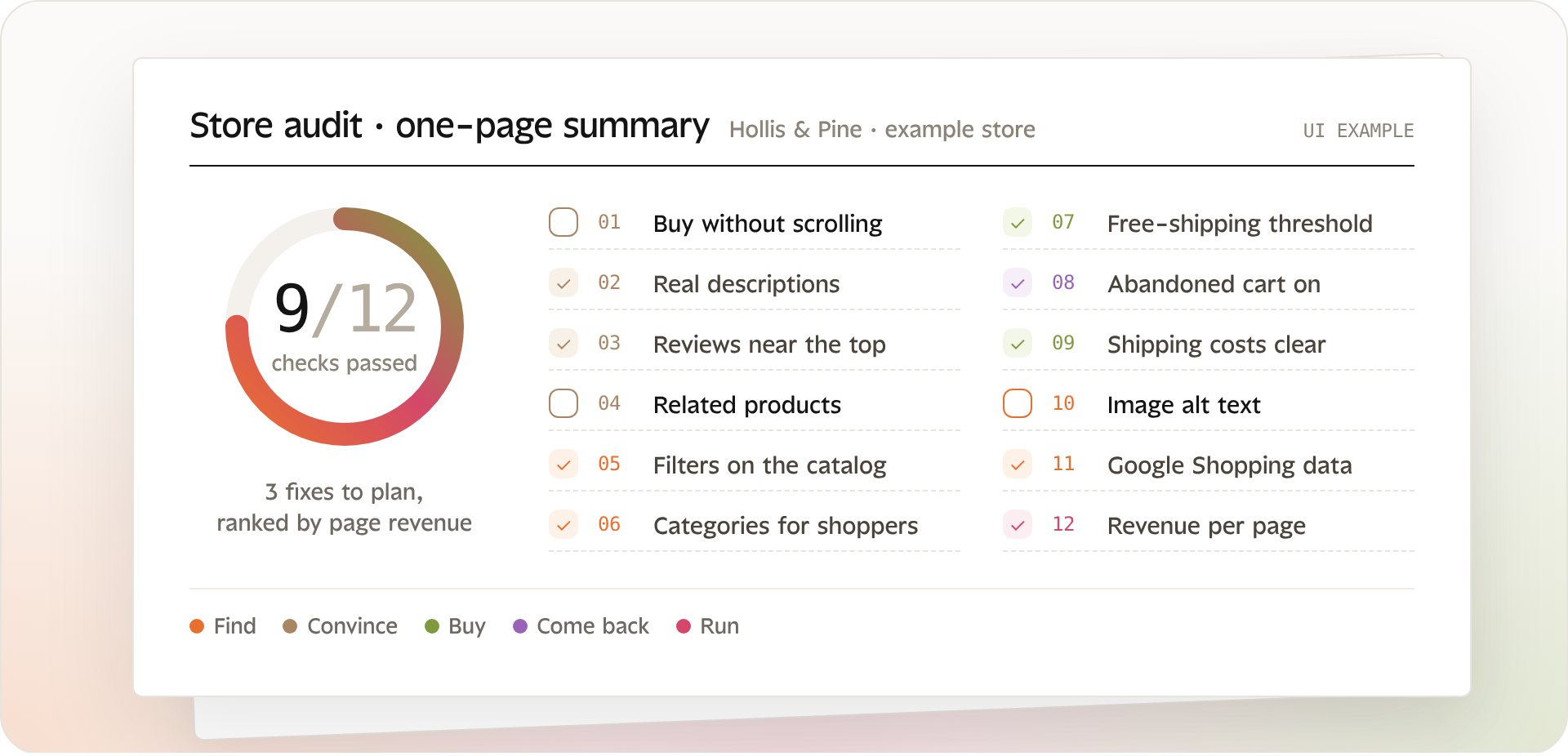
An example one-page audit summary: 12 checks, the ones to fix ranked by page revenue.
Whether you run your own store or audit stores for clients, this is the list we go through first. Each check is something you can see on a live Squarespace store in a few minutes, and each one connects to sales.
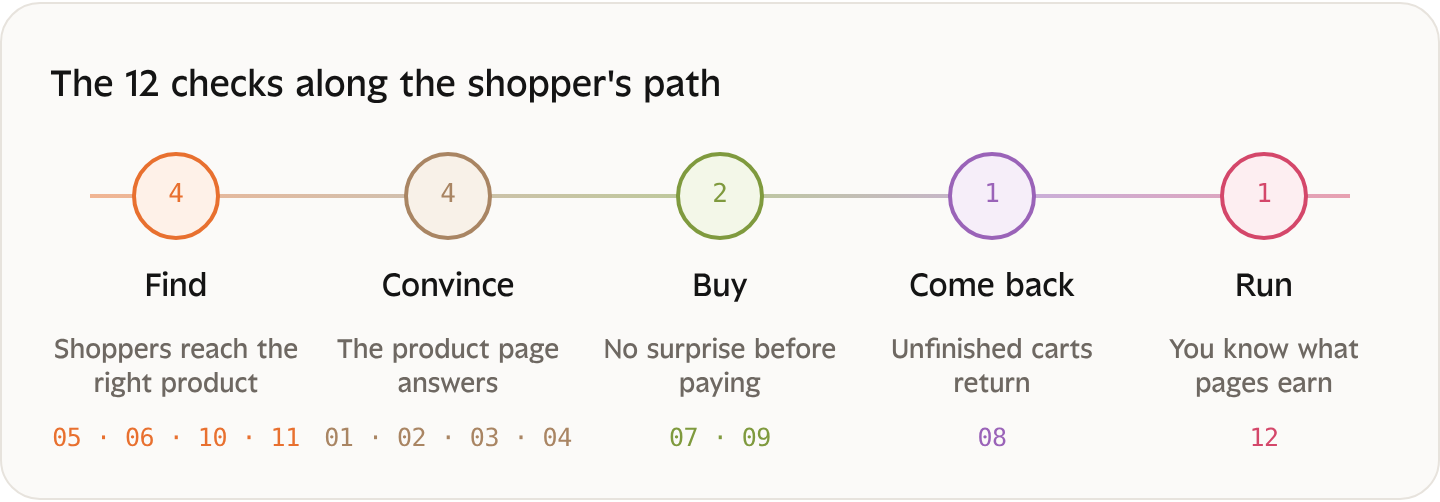
Each check touches one moment of the shopper’s path: being found, being convinced, buying, coming back, and running the store with the right numbers.
1. Product pages
Can shoppers buy without scrolling on mobile?
The price and add-to-cart button should be visible on the first screen.
Does every product have a real description?
Material, size, use, care: what a shopper would ask in a store.
Are reviews visible near the top?
Reviews buried at the bottom of the page rarely get read.
Do product pages suggest related products?
It's the simplest way to raise the cart value.
2. Shop and navigation
Can shoppers filter a large catalog?
By category, size, color or price, depending on what you sell.
Are categories built around how people shop?
Not around how products are stored.
Is the free-shipping threshold shown before checkout?
In the announcement bar or on the product page.
3. Cart and checkout
Is abandoned cart recovery switched on?
Every current Squarespace plan includes automatic abandoned cart emails. Check that they're on, and that the email looks like your brand.
Are shipping costs clear before the last step?
Surprise costs are a classic reason to abandon.
4. Product data
Do images have alt text?
Good for accessibility, search and Google Shopping.
Is your product data ready for Google Shopping?
Clear titles, brand, and identifiers where they exist.
5. Measurement
Do you know what each page earns?
Without it, you can't tell which of the 11 checks above matters most for your store.
6. Prioritize by what each fix is worth
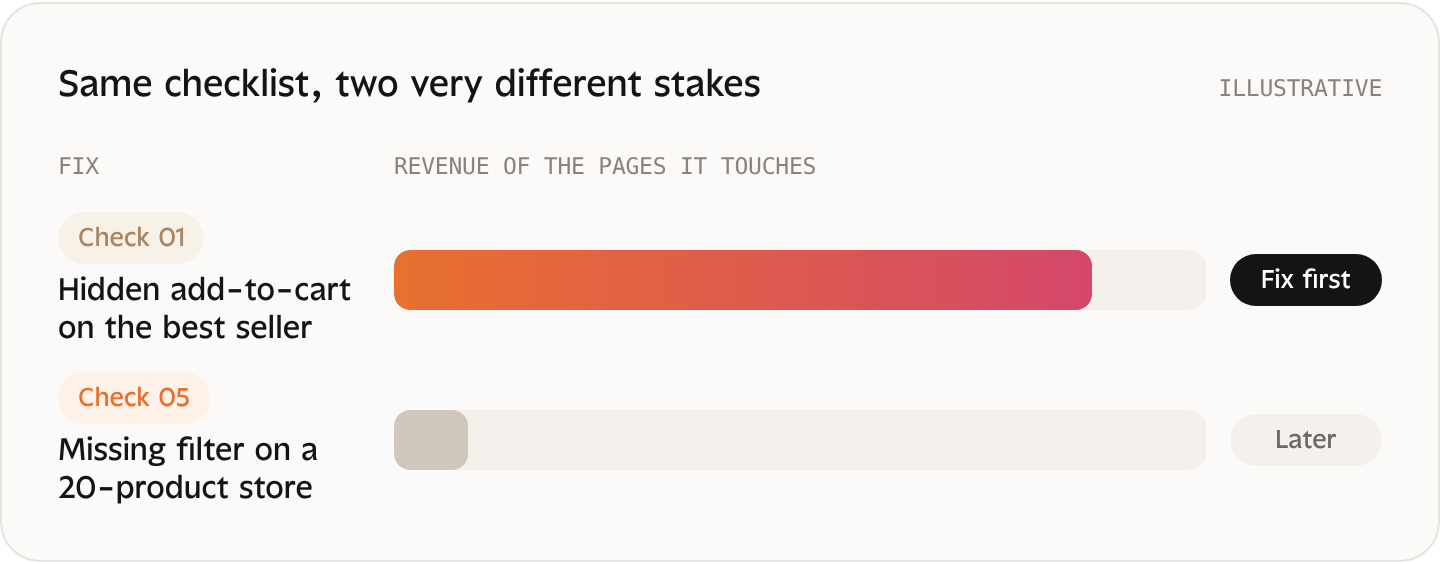
A checklist tells you what’s missing; it doesn’t tell you what to fix first. A missing filter on a 20-product store matters less than a hidden add-to-cart button on your best seller. Rank fixes by the revenue of the pages they touch.
7. Run this audit automatically
Bridge runs several of these checks on your Squarespace store, ranks what it finds by what the affected pages earn from paid orders, and applies many fixes in one click with your approval. For agencies, it’s a fast first deliverable for a new client.
HOW BRIDGE RUNS IT
Check
Your store, on several of these points
Rank
By what the affected pages earn from paid orders
Apply
Many fixes in one click, with your approval
Your audit, ranked by what each page earns.
Test BridgeFrequently asked questions
How long does a Squarespace store audit take?
The 12 checks take about an hour by hand on a small catalog. Larger catalogs take longer, mostly for product descriptions and image alt text.
What should I fix first?
The fix that touches your highest-earning pages.
Can I use this checklist for client stores?
Yes. It's written for both store owners and agencies.
Keep reading