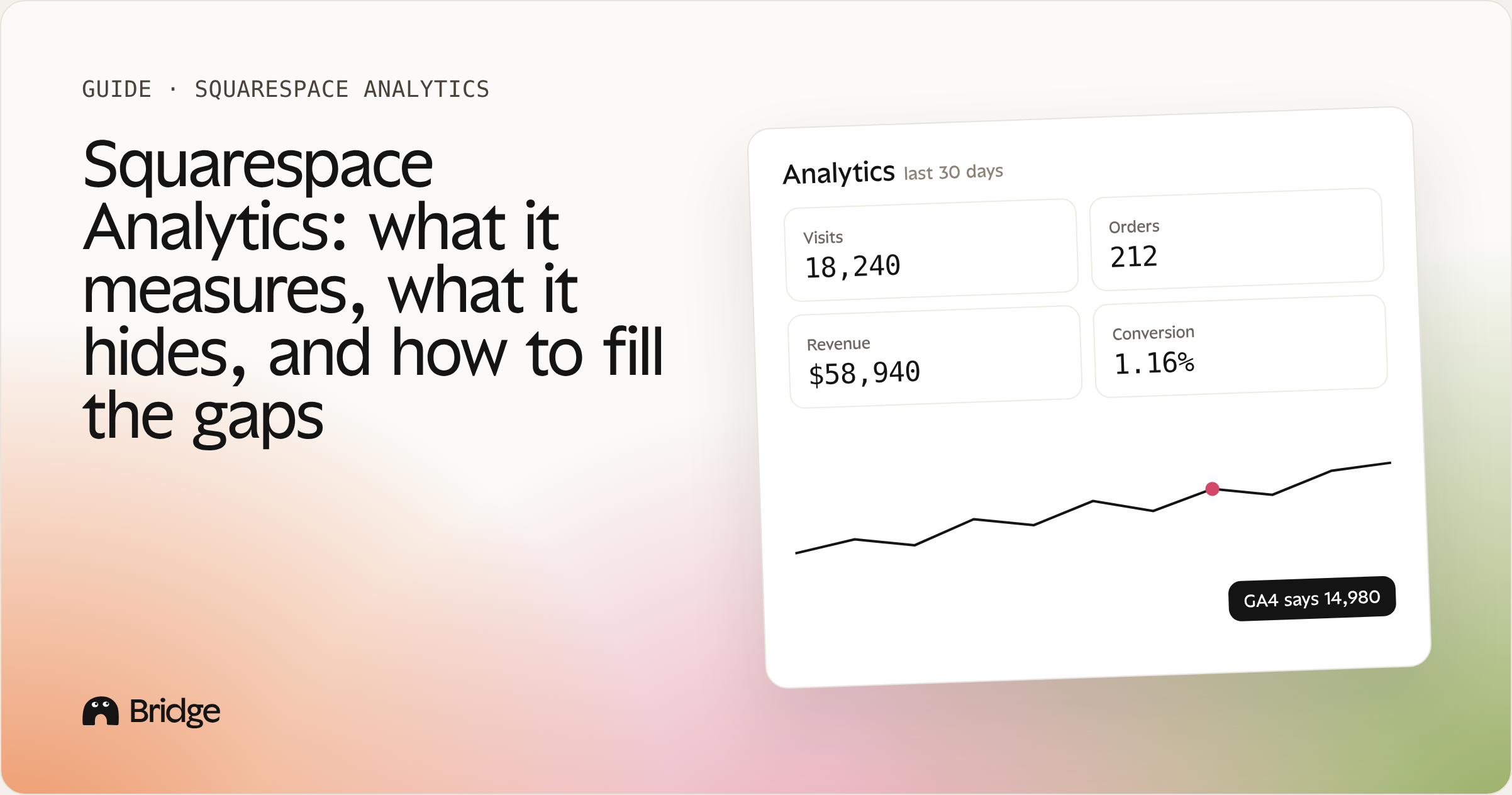
Squarespace Analytics is the first place most store owners look, and for good reason: it's built in, free, and readable in a minute. But if you sell on Squarespace, you've probably noticed that it answers "how many people came?" much better than "which pages actually make me money?"
This guide covers what Squarespace Analytics shows, how to connect Google Analytics 4, why your numbers never match from one tool to another, and how to read your store through the one number that never lies: paid orders.
1. What Squarespace Analytics shows you
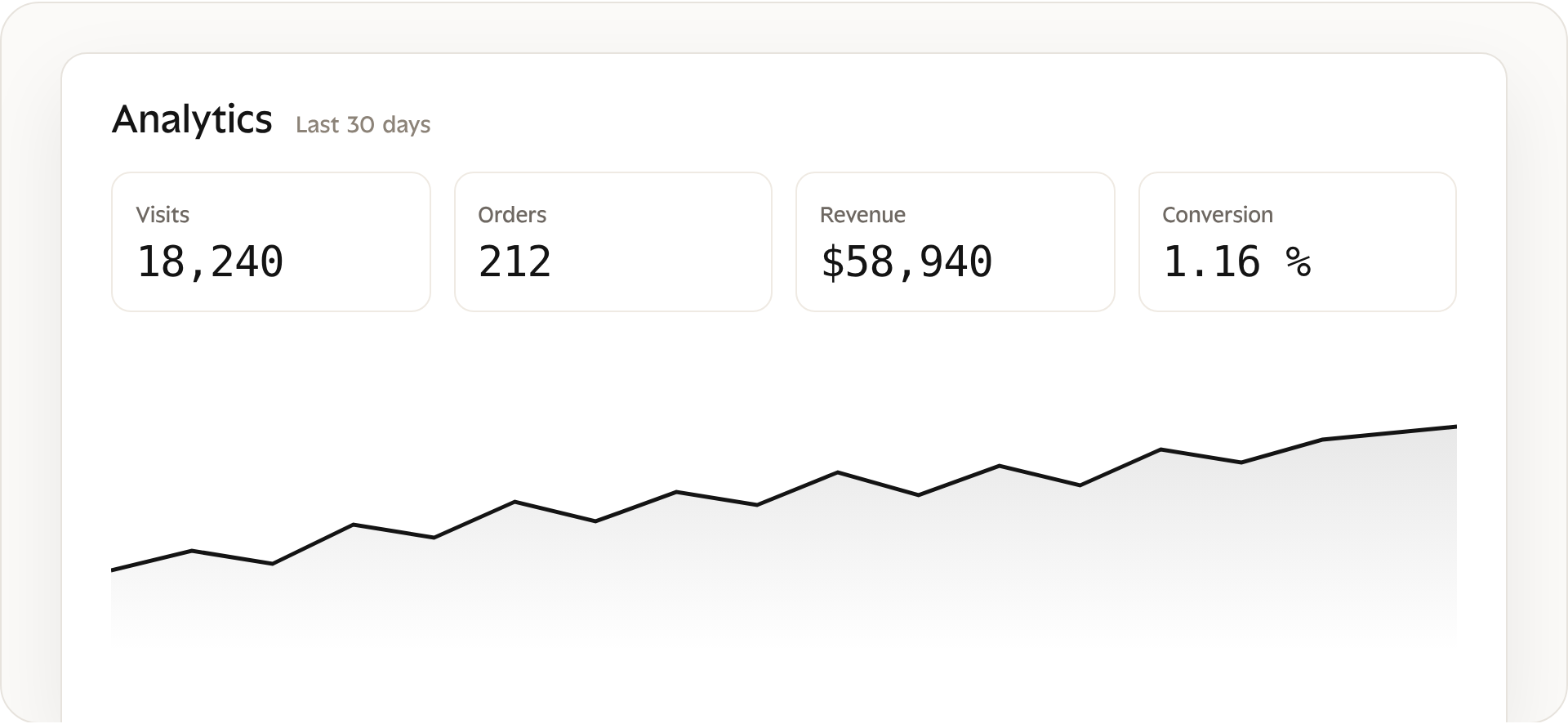
You’ll find it under Analytics in your Squarespace dashboard [vérifier le libellé du menu]. For a store, the panels that matter most are:
Traffic: visits, unique visitors and pageviews over time, with device and location.
Traffic sources: where visitors come from: search, social, referrals, email, direct.
Sales: revenue, orders and average order value for the period.
Purchase funnel: how many visitors view a product, add to cart, start checkout and buy.
Popular content: which pages get the most views.
Search keywords: the Google queries that bring visitors, once Google Search Console is connected.
Abandoned carts: checkouts that were started but not completed, on Commerce plans.
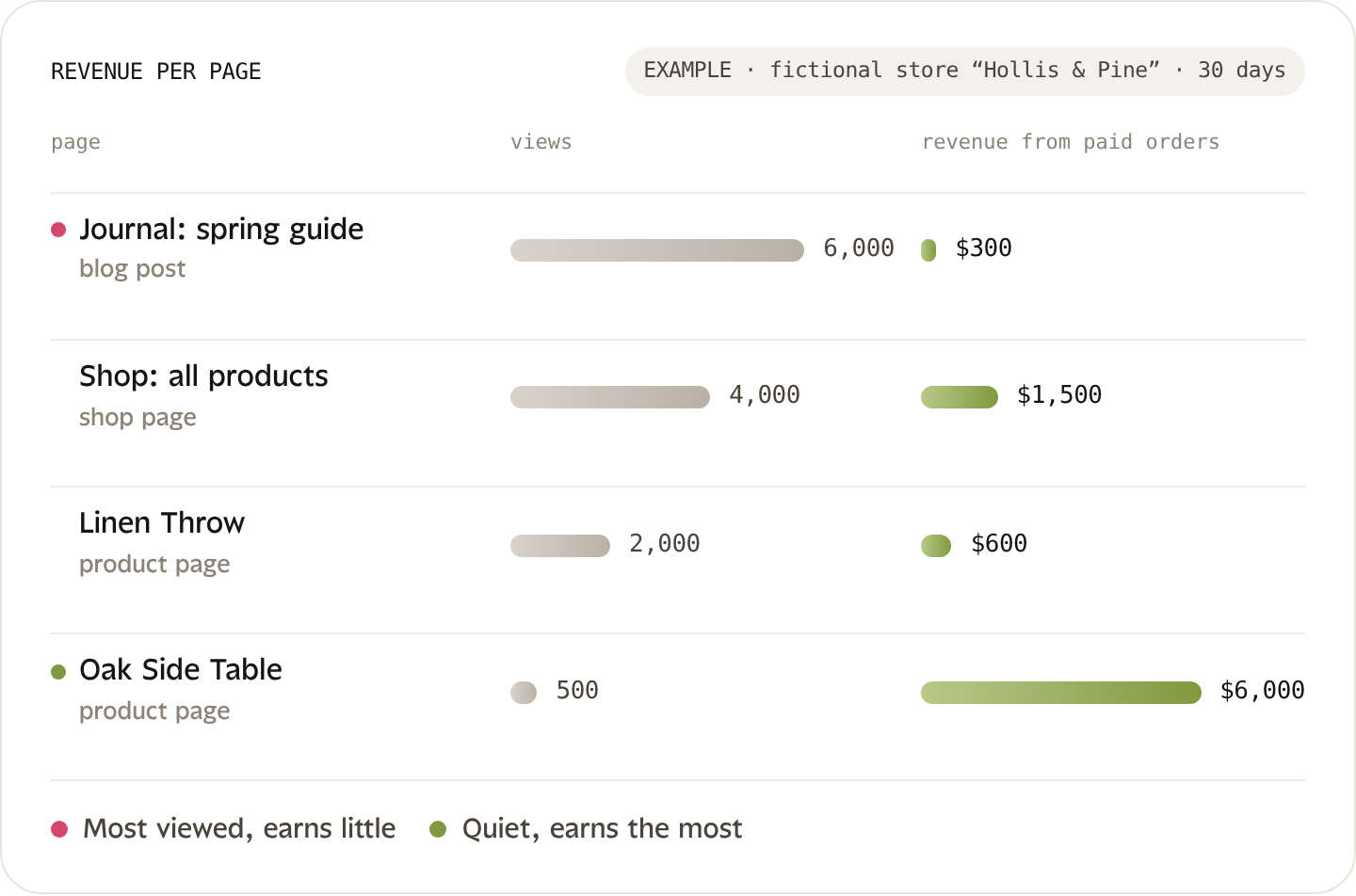
That’s a solid overview. What it doesn’t do is tie those numbers together: a page can be popular and earn nothing, and a quiet product page can carry half your revenue. Keep that in mind for part 6.
2. How to add Google Analytics 4 to Squarespace
GA4 gives you more detail than Squarespace Analytics: custom reports, audiences, and a link with Google Ads. Connecting it takes five minutes.
In Google Analytics, create a GA4 property and a web data stream for your domain. Copy the Measurement ID (it starts with G-).
In Squarespace, open the setting where Google Analytics is connected [chemin exact : Settings → …] and paste the Measurement ID.
Save, then open your site in a private window and check the Realtime report in GA4. Your visit should appear within a minute.
Does GA4 track Squarespace sales?
Even when purchases are tracked, GA4 only sees the visitors who accepted cookies and didn’t block the script. That’s why GA4 revenue is usually lower than the revenue in your Squarespace orders. More on that next.
3. Is Squarespace Analytics accurate?
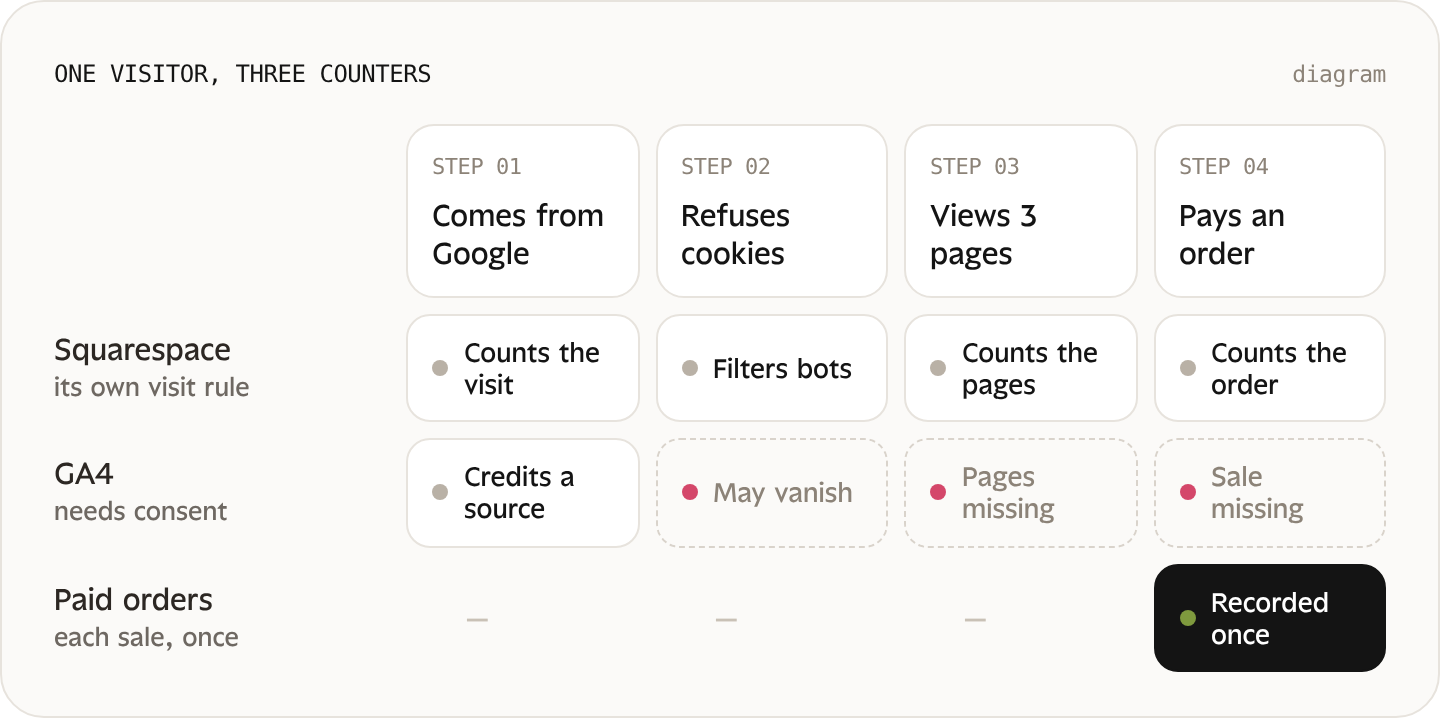
Short answer: it’s accurate for what it measures, and so is GA4. They just don’t measure the same thing. Two analytics tools almost never show the same number, and that’s normal.
Why Squarespace and GA4 never match
Different definitions. A “visit” in one tool and a “session” in the other aren’t counted the same way, and neither are unique visitors.
Cookies and blockers. GA4 runs in the visitor’s browser and depends on consent. Visitors who refuse cookies or use an ad blocker can vanish from GA4.
Bots and filters. Each tool filters automated traffic in its own way.
Time zones. If your GA4 property and your store use different time zones, daily totals shift.
Attribution. GA4 credits a sale to a traffic source; Squarespace simply counts the order.
When Squarespace Analytics shows nothing (or looks frozen)
The site is still private, password-protected or on a trial.
Your own visits while logged in aren’t counted.
Data isn’t instant: recent visits can take some time to appear.
The date range or filter is set too narrow.
The number to trust: paid orders
Traffic numbers are estimates. Orders are not: every paid order is recorded once, with its amount, its products and its date. When two tools disagree, go back to your orders. That’s the reference Bridge uses for every number it shows.
4. Can you export Squarespace Analytics data?
What you can reliably export today is your commerce data: orders, products and customers can be downloaded as CSV from the Commerce panel. For traffic panels, check whether an export option appears [vérifier panneau par panneau]; when it doesn’t, the usual workarounds are GA4, which has its own exports, or a tool that reads your orders directly.
For a store, exporting orders is the most useful of all: it’s the raw material for every question about revenue, products and repeat customers.
5. Which source should you use for which question?
| Your question | Best source | Why |
|---|---|---|
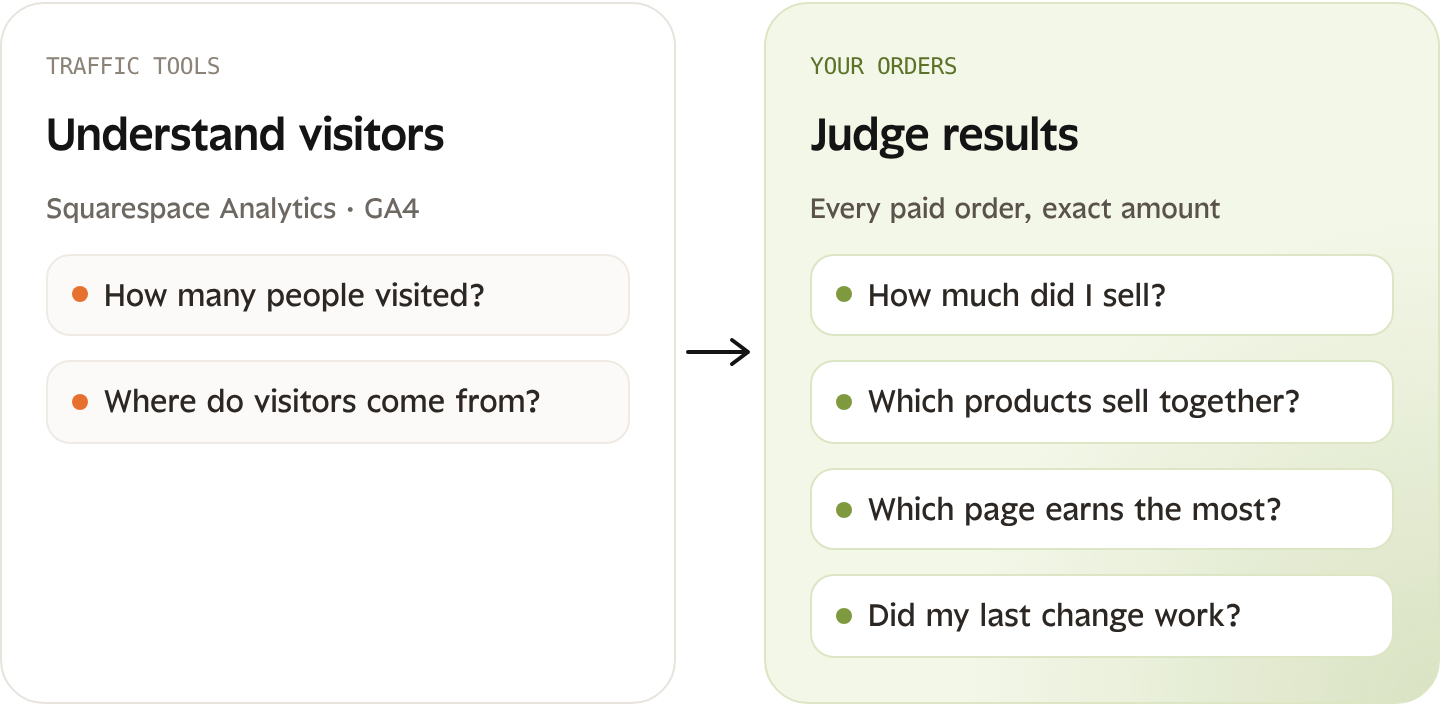
| How many people visited? | Squarespace Analytics | Built in, nothing to install |
| Where do visitors come from? | GA4 (or Squarespace for a quick look) | Finer source and campaign detail |
| How much did I sell? | Your Squarespace orders | Every paid order, exact amount |
| Which products sell together? | Your orders | Only orders show what was bought together |
| Which page earns the most? | Orders matched to pages | No built-in panel answers this directly |
| Did my last change work? | Orders, before vs after, over the same length of time | Traffic alone can't tell you if a change paid |
The pattern is simple: use traffic tools to understand visitors, and orders to judge results.
6. The reports Squarespace merchants are missing
Squarespace covers the basics well. What most store owners end up rebuilding by hand in spreadsheets:
Revenue per page and per product page: which pages bring paid orders, not just views.
Conversion rate per product: views vs purchases for each product, to spot the ones that attract but don’t sell.
Sales by variant: which size or color sells, and which one sits in stock.
Products bought together: the starting point for bundles and related products.
Repeat customers: who comes back, after how long, and with what.
Before / after a change: whether the new product page, the free-shipping bar or the new photos actually moved revenue.
7. What Bridge measures on a real store
Bridge connects to your Squarespace store and starts from your paid orders. It shows what each page and product earns, recommends one change at a time with the numbers behind it, applies many fixes in one click with your approval, then comes back to measure the result on your orders.
Frequently asked questions
Does Squarespace have analytics?
Yes. Every Squarespace site includes Squarespace Analytics, with traffic, sources, popular content and, for stores, sales and the purchase funnel.
Can I see a sales report on Squarespace?
The Sales panel shows revenue, orders and average order value over a period. For sales by product, variant or customer, export your orders as CSV or use a tool that reads them for you.
How do I see my store's conversion rate?
The purchase funnel in Squarespace Analytics shows the overall rate. Per product or per page, you need to match views with orders, which is what Bridge does.
Should I connect Google Search Console?
Yes. It shows the Google searches that bring visitors, and Squarespace can display them in its Search keywords panel.
Keep reading